 Links Studio
Arrange and launch
Lay the song out on the timeline with sections, markers, chords and a tempo map, or play patterns live from the clip launcher.
 LINKTECH LABS
A music production studio for Windows. Make the beat, write the song, record it, mix it and master it, all in one place, and carry on from your phone with Links Studio Pocket.
Built from the ground up for speed: a sound engine that keeps up with big sessions, and every part of a song in one window.
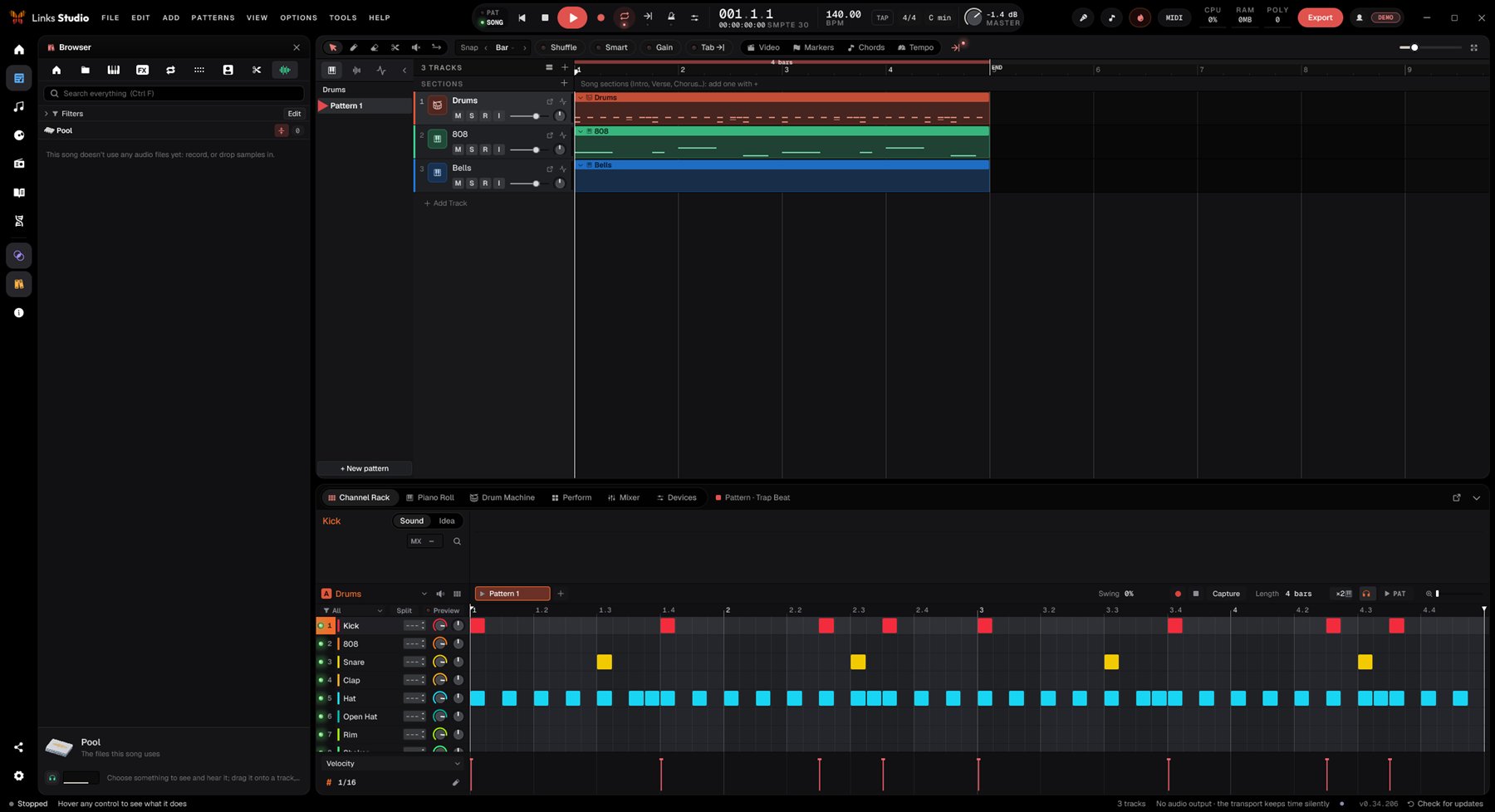
Lay the song out on the timeline with sections, markers, chords and a tempo map, or play patterns live from the clip launcher.
Drum machine with RGB pads, channel rack, piano roll and a sampler that chops loops at the hits and finds their tempo.
A mixer with buses and sends, and a devices view that shows every chain as cables you can split into parallel, band or mid/side lanes.
Loudness and true peak as you work, then masters rendered to each streaming platform's target, or a whole album with its CUE sheet.
A notebook for lyrics with syllable counts and rhymes, ideas pinned to bars, voice notes, and versions of the project to compare.
Your tracks written out as a score, following the playhead as you play along, with MusicXML export.
Energy, tension and balance worked out section by section. Ask to make the chorus bigger and it suggests real production moves.
Installs just for you with no admin rights, and new versions arrive inside the app: restart and you're on it.

Start a beat on the bus, finish it at home. Pocket runs the same sound engine as Links Studio, built for your fingers.
Loading the release notes…

Also from Linktech Labs: Links MixDeck, the DJ software. Two decks, beat-matched waveforms and your controller mapped as you plug it in.
Get MixDeck